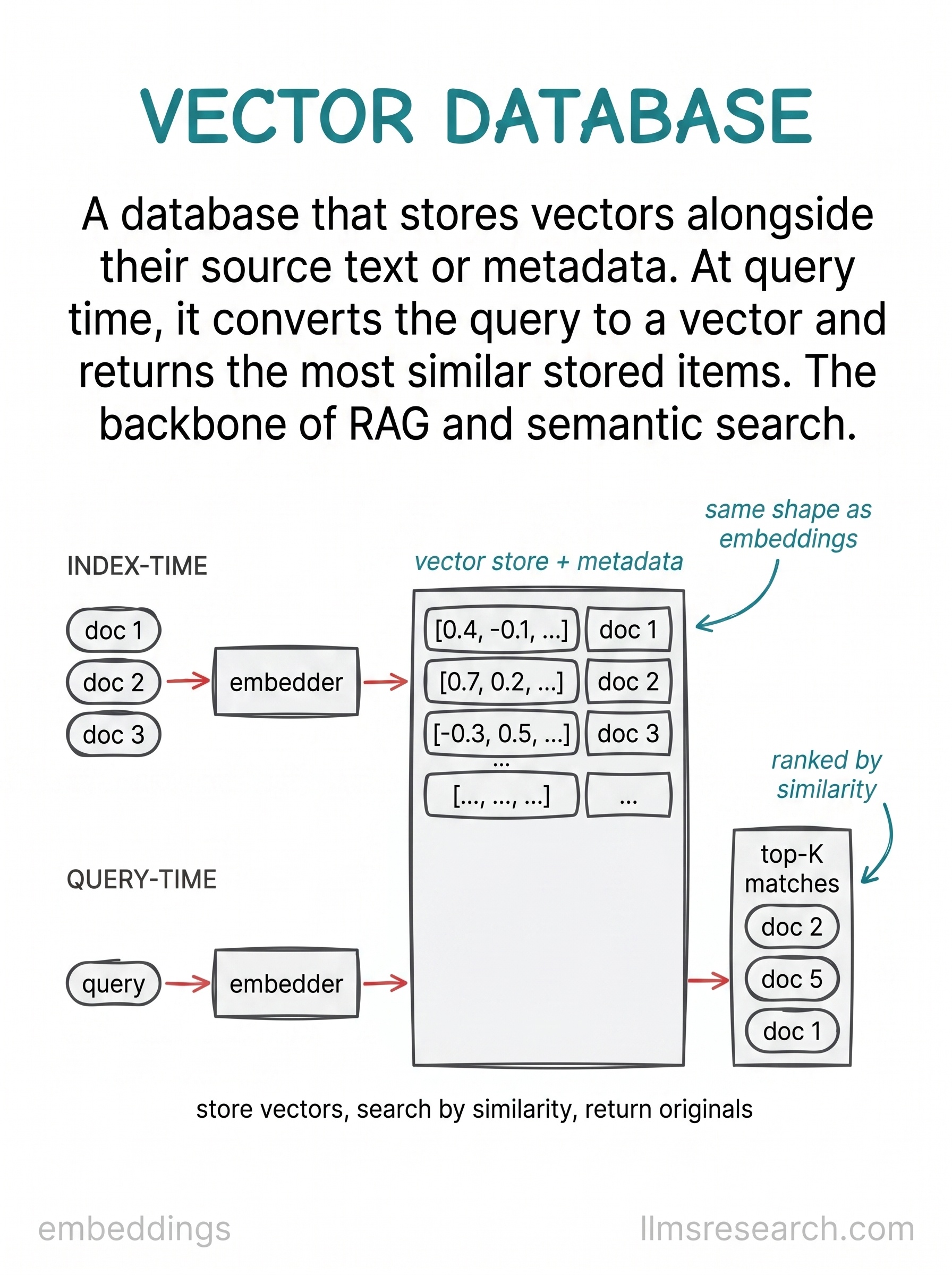
Embeddings give you a way to compare meaning. A vector database gives you a way to do that comparison at scale, over millions of stored items, on every user query. The card treats the store as a system with two distinct phases.
The upper stage is index time. Documents enter on the left, pass through an embedder, and land in a central vector store alongside their metadata. Each row holds a vector and a label pointing back to the original text. This work happens offline or on a schedule, whenever the corpus changes. The lower stage is query time. A user question is embedded with the same model, the resulting vector is compared against everything in the store, and the top matches are returned ranked by similarity.
The central rectangle is the heart of the diagram. It is not just a pile of vectors. Each stored item keeps its source text or a reference to it, because the vector alone is useless at generation time. You need the actual passage to stuff into a prompt or show to a user. Metadata tags, section names, access permissions, and timestamps often sit beside the vector so filters can narrow the search before or after similarity scoring.
The card stays at the system level and treats the search algorithm inside the store as a black box. That inner mechanism, approximate nearest neighbor search with structures like HNSW, is the subject of the next card in this thread. Here the point is the pipeline shape: embed once at index time, embed again at query time, return the closest stored items.
The practical takeaway is that semantic search and RAG both depend on this two-stage pattern. Indexing and querying must use the same embedding model and the same vector dimensionality. The database is the backbone that turns a one-off similarity calculation into a production retrieval service.