The previous card showed index time and query time as a pipeline. This card opens the central box and shows what is actually stored inside a vector store at the row level.
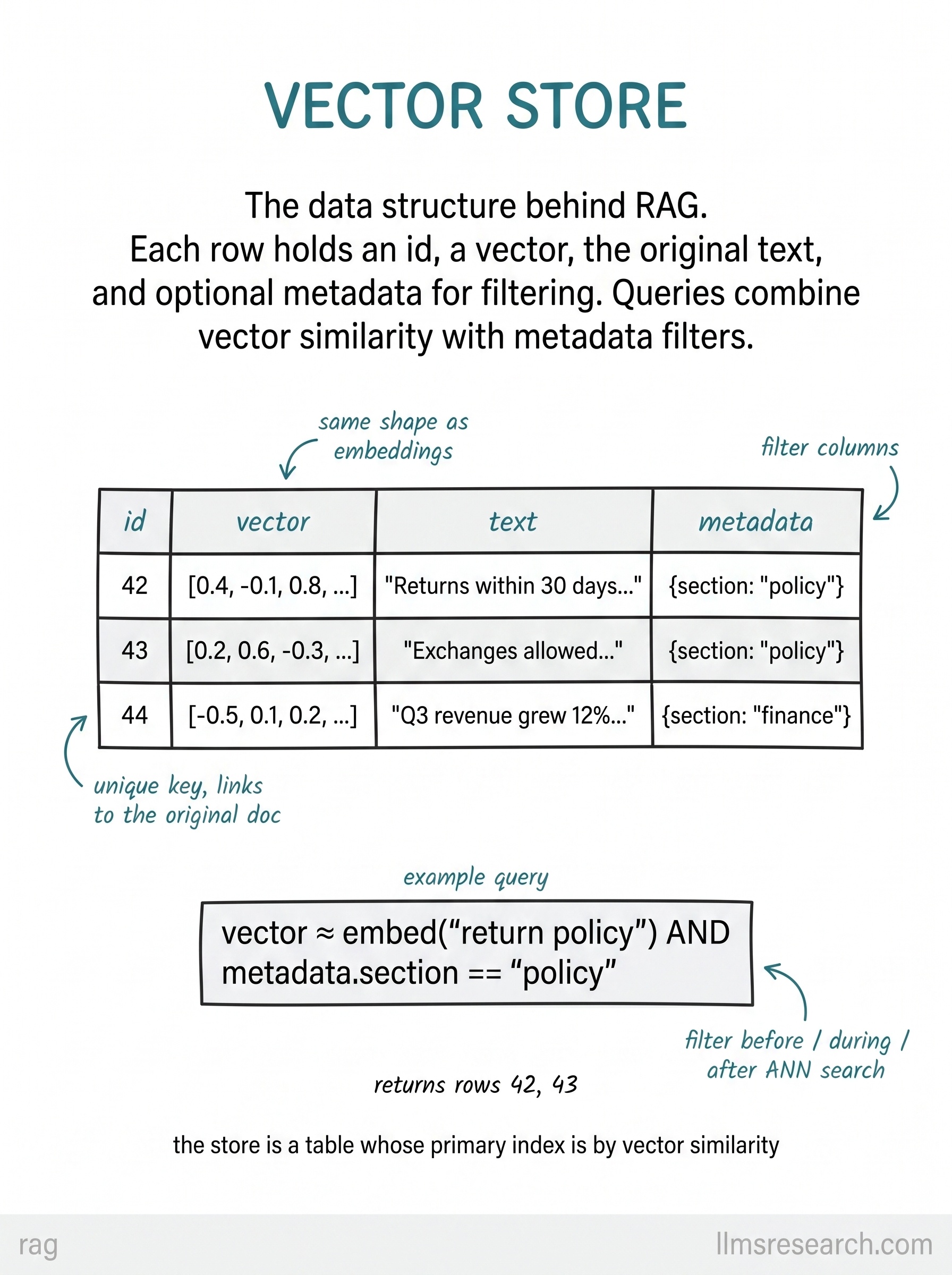
The hero is a four-column table. Each row has an id, a vector, the original text, and metadata. The id is a unique key that links back to the source document or chunk. The vector column holds the embedding, same shape as the output of your embedder. The text column keeps the passage itself, because retrieval must return something the model or the user can read. The metadata column holds structured fields like section, date, or access level that support filtering without reading every vector.
The example query below the table shows how these columns work together in practice. A search might ask for vectors close to the embedding of “return policy” while also requiring that metadata.section equals “policy”. That combination returns only policy rows, even if finance documents happen to mention returns in passing. Filters can run before ANN search to shrink the candidate set, during search as constraints, or after search to post-filter results.
This layout is what most RAG implementations build, whether the backing engine is Pinecone, Weaviate, pgvector, or a custom index. The storage model is row-oriented: one chunk, one vector, one text field, optional metadata fields. The primary access pattern is similarity search on the vector column, with everything else carried along for display and filtering.
The practical takeaway is to design your index schema around retrieval needs from the start. Store the chunk text you will inject into prompts, attach metadata you will filter on, and keep ids stable so citations can point back to specific rows. The vector is the search key; the other columns are what make the result usable.