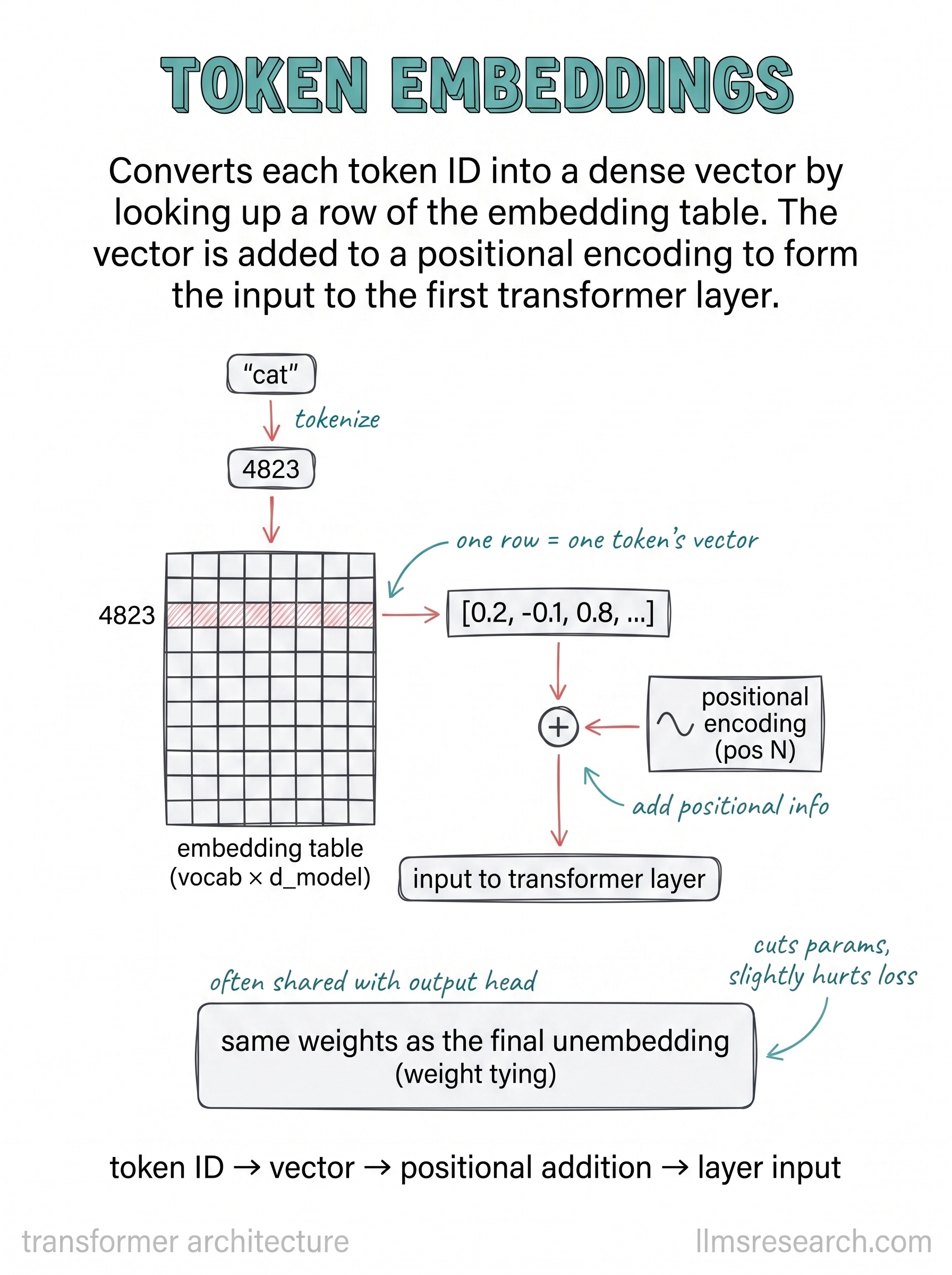
Part I ended with the embedding matrix as a lookup table. This card puts it in place as the first thing a transformer actually does with an input, and adds the one step that the earlier view left out.
The flow on the card is short. The word “cat” is tokenized to the ID 4823. That ID selects row 4823 of the embedding table, which is a vector like [0.2, -0.1, 0.8, …]. Nothing here is new relative to the embedding matrix card, and that is the point: the token embedding step is exactly that lookup, now positioned as layer zero of the model.
The new piece is the addition below the arrow. The token vector is added to a positional encoding for that slot, and the sum is what enters the first transformer layer. The reason this addition exists is covered in the next card, but the mechanical fact is worth fixing now: the input to the stack is not the token vector alone, it is the token vector plus a signal for where the token sits.
The card also flags a design choice that is easy to miss. The embedding table is often shared with the output head, the layer at the very end that turns vectors back into token probabilities. Using the same weights for both is called weight tying. It saves a large block of parameters, since that matrix is big, and the card notes it costs a little in loss. Many models accept that trade because the parameter saving is real and the quality gap is small.
So the token embedding is both a beginning and, through tying, connected to the end. It converts discrete IDs into vectors, receives its positional signal here, and hands the result to the first layer. The next several cards stay on that positional signal before moving into attention itself.