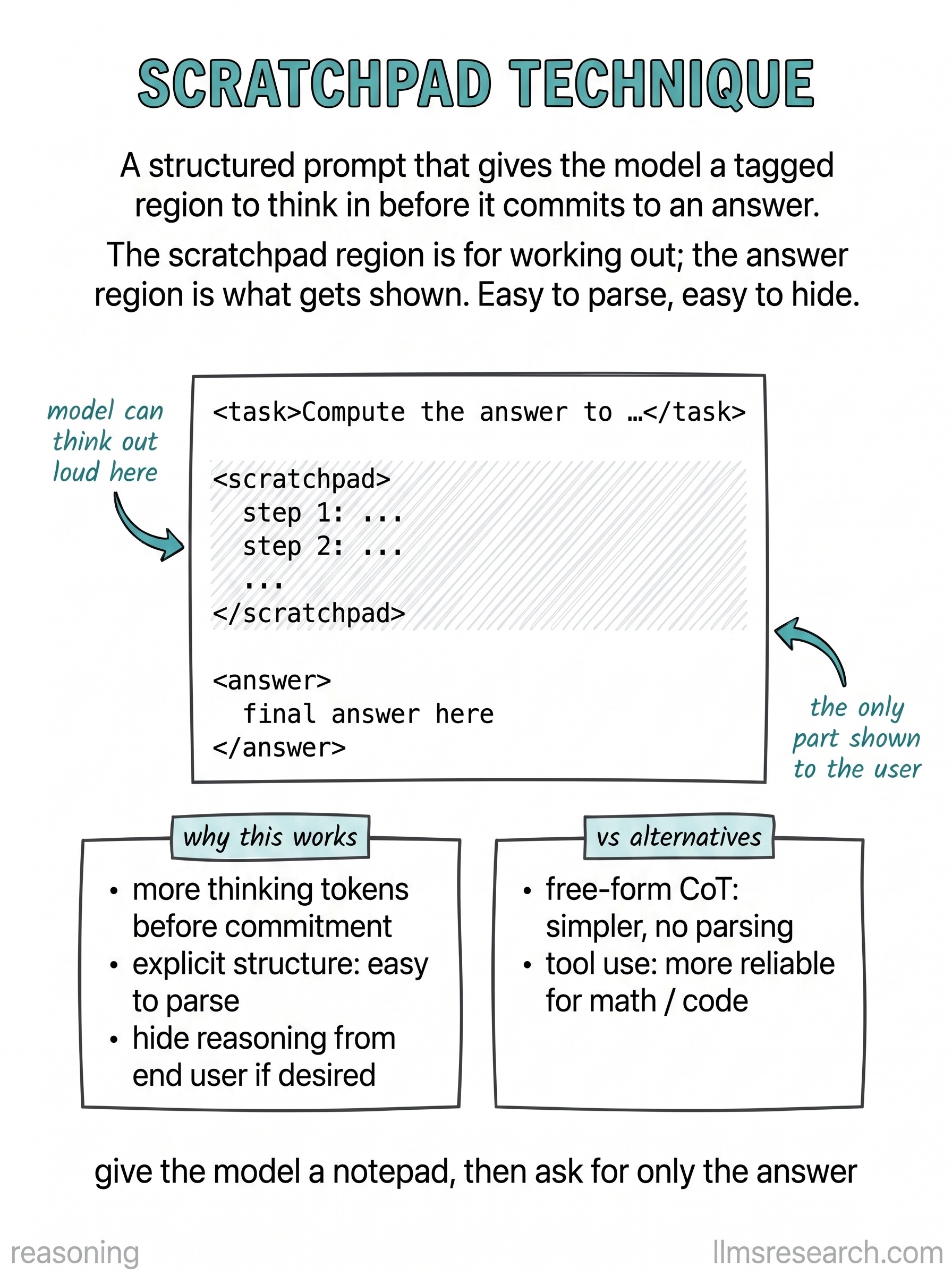
The card shows a prompt template with two regions. A <scratchpad> block sits above
the final answer section. Instructions tell the model to use the scratchpad for
draft reasoning, checks, and partial results, then produce a clean answer below
outside the pad. A sample trace fills the scratchpad with arithmetic and constraint
checks, while the answer line stays short and formatted.
Structuring output this way gives the model permission to be verbose internally without polluting the user-visible reply. It also helps application code: you can strip or log scratchpad content separately, run validators only on the answer block, or hide deliberation in production while retaining it for audit. The label acts as a delimiter with semantic meaning, stronger than a vague “think step by step” when you need reliable segmentation.
Scratchpads pair well with JSON or XML-style formats when downstream tools consume fields. They do not fix hallucination or math errors by themselves; they organize computation so errors are easier to spot and retry. For agents, scratchpads can hold tool-selection notes while the outward message summarizes observations.
When designing templates, state explicitly that scratchpad text must not appear in the final channel shown to users. Some models still leak unless you repeat the rule and parse strictly. Keep scratchpad instructions in system or developer messages so user content cannot redefine the tags. The practical takeaway matches the card layout: carve a workspace for thinking, then require a distinct, concise output region once that work is done.